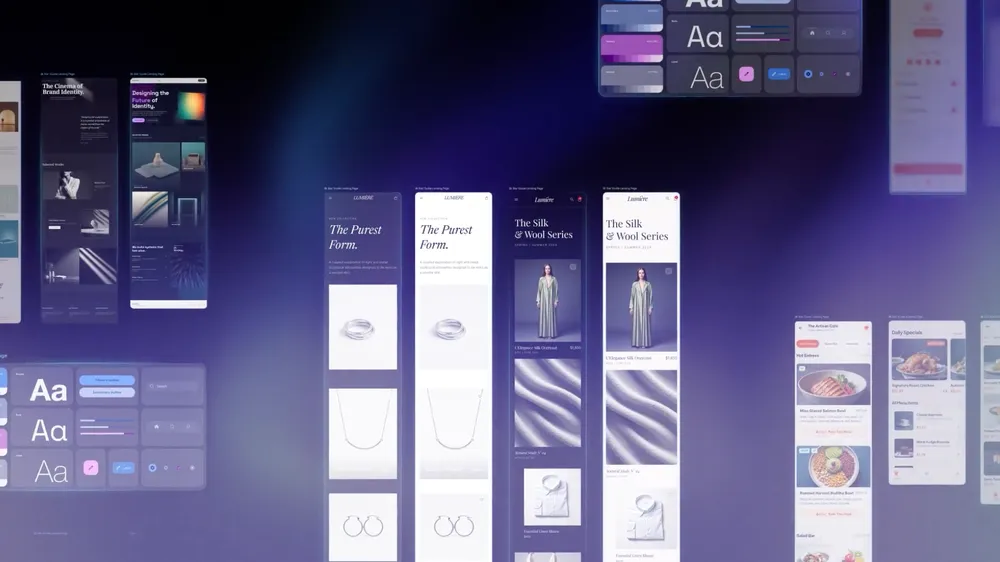
Google’s New AI Design Tool “Stitch” — Create Stunning App UI Without Learning Design
A couple of years ago, building an app meant hiring a designer, a developer, and probably a product manager too. You needed months, a decent budget, and a whole lot of patience. But things have changed pretty fast.
Google Labs launched Stitch a while back — a tool that takes your raw ideas and turns them into actual UI designs. And now, Google has taken it several steps further. The new Stitch isn’t just a design tool anymore. It’s a full AI-native software design canvas that lets anyone — designer or not — go from a vague idea to a polished, interactive prototype in minutes.
So What Exactly Is “Vibe Design”?
You’ve probably heard of “vibe coding” — where you describe what you want in plain English and AI writes the code for you. Vibe design works the same way, but for the visual side of things.
Instead of starting with a blank wireframe, you start by describing how you want your users to feel. You can say something like “I want a calming meditation app” or “Give me something bold and energetic for a fitness tracker.” You can even paste in a screenshot of a design you love and use that as inspiration.
The idea is simple — start with intent, not a grid. And when you start that way, you end up exploring more ideas, faster, which almost always leads to a better final result.
A Canvas Built for How Designers Actually Think
One of the biggest updates in the new Stitch is the redesigned UI. There’s now an infinite canvas at the center of everything.
Here’s why that matters: design is messy. You go in one direction, hit a dead end, backtrack, try something else, and eventually land on something great. Most design tools force you into a rigid structure that doesn’t really match how creative work actually flows.
The new Stitch canvas gives your ideas room to breathe. You can bring in anything — images, text, code snippets — and it all becomes context that helps the AI understand what you’re going for. Early sketches, competitor screenshots, color palettes you saved — throw it all on the canvas.
A Smarter Design Agent — Plus an Agent Manager
The new Stitch also comes with a completely rebuilt Design Agent. Unlike before, this agent doesn’t just look at the screen you’re working on. It understands the entire project — where you started, how things evolved, and what direction you seem to be heading.
And when you want to explore multiple directions at the same time, there’s now an Agent Manager that keeps everything organized. Think of it like having a few different design experiments running in parallel, with someone keeping track of all of them so nothing gets lost.
This is actually a big deal for anyone who’s ever had five browser tabs open with different design variations and completely lost track of which one they liked.
DESIGN.md — Take Your Design System Anywhere
This one’s for the people who’ve had to rebuild their design system from scratch every single time they started a new project.
Stitch now supports something called DESIGN.md — a simple, agent-friendly markdown file that holds all your design rules in one place. Fonts, colors, spacing, component styles — everything.
You can export your design system from one Stitch project and import it into another. Or take it into a completely different coding tool. And if you want to build a design system from scratch, just paste in any website’s URL and Stitch will automatically pull the design rules from it.
No more reinventing the wheel every time you start something new.
From Static Screens to Interactive Prototype in Seconds
There’s always been a gap between designing something and actually testing it. Usually, you’d have to hand things off to a developer just to see if the flow made sense.
Stitch closes that gap. Once you’ve got a few screens, you can “Stitch” them together and hit Play — instantly turning your static designs into a clickable prototype. Stitch figures out which screen should follow which action, and where it can’t tell, it just generates the logical next screen on its own.
This means you can walk through the full user journey before writing a single line of code. And if something feels off, you can fix it right there — tweak one element or overhaul the entire flow — without breaking your momentum.
Talk to Your Canvas — Voice Design Is Here
Probably the most interesting new feature: you can now speak directly to your canvas.
Want three different menu options? Just say it. Want to see the same screen in a warmer color palette? Say that too. Stitch listens, makes the changes, and keeps going.
But it’s not just a voice command tool. Stitch can also act as a design critic — giving you real-time feedback, asking you questions to better understand what you’re going for, and helping you think through decisions out loud. It’s the kind of back-and-forth you’d normally only get from a senior designer sitting next to you.
For people who think better when they talk than when they type, this changes everything.
Seamless Handoff to Developers
Design and development have always had a communication problem. Designers hand off files, developers interpret them differently, and then everyone goes back and forth trying to figure out what was actually meant.
Stitch is starting to fix that. With the new MCP server and SDK support, you can connect Stitch directly to developer tools like AI Studio. When a design changes, the update flows through automatically. No more “which version is the final one” confusion.
There’s also an active skills library — already over 2,400 stars on GitHub — meaning the developer community is already building on top of Stitch’s capabilities.
Who Is Stitch Actually For?
If you’re a professional designer, Stitch will speed up your workflow and let you explore far more ideas than you could manually. The parallel agent system alone is worth it.
If you’re a startup founder with no design background, Stitch becomes your first designer. You can go from a napkin idea to something that looks and feels like a real product in an afternoon.
If you’re a product manager, you can finally communicate your ideas visually without having to wait for a designer to have bandwidth.
And if you’re just someone with an idea — Stitch might be the fastest way to see what that idea actually looks like.
Our Take
Stitch is pointing toward a future where designing software feels as natural as having a conversation. “Vibe design” sounds like a buzzword, but it’s describing something real — a shift in how the early stages of building products actually work.
Will it replace experienced designers? No, not anytime soon. Good design still requires taste, judgment, and a deep understanding of people. But Stitch can absolutely become the most powerful tool in a designer’s kit. And for everyone else, it removes a barrier that’s been there since the beginning.
AI already made coding more accessible. Design is next.
Also Read: Google Gemini’s New Features That Will Change How You Work
Tags: Google Stitch, AI Design Tool, Vibe Design, UI Design, Google Labs, Artificial Intelligence