
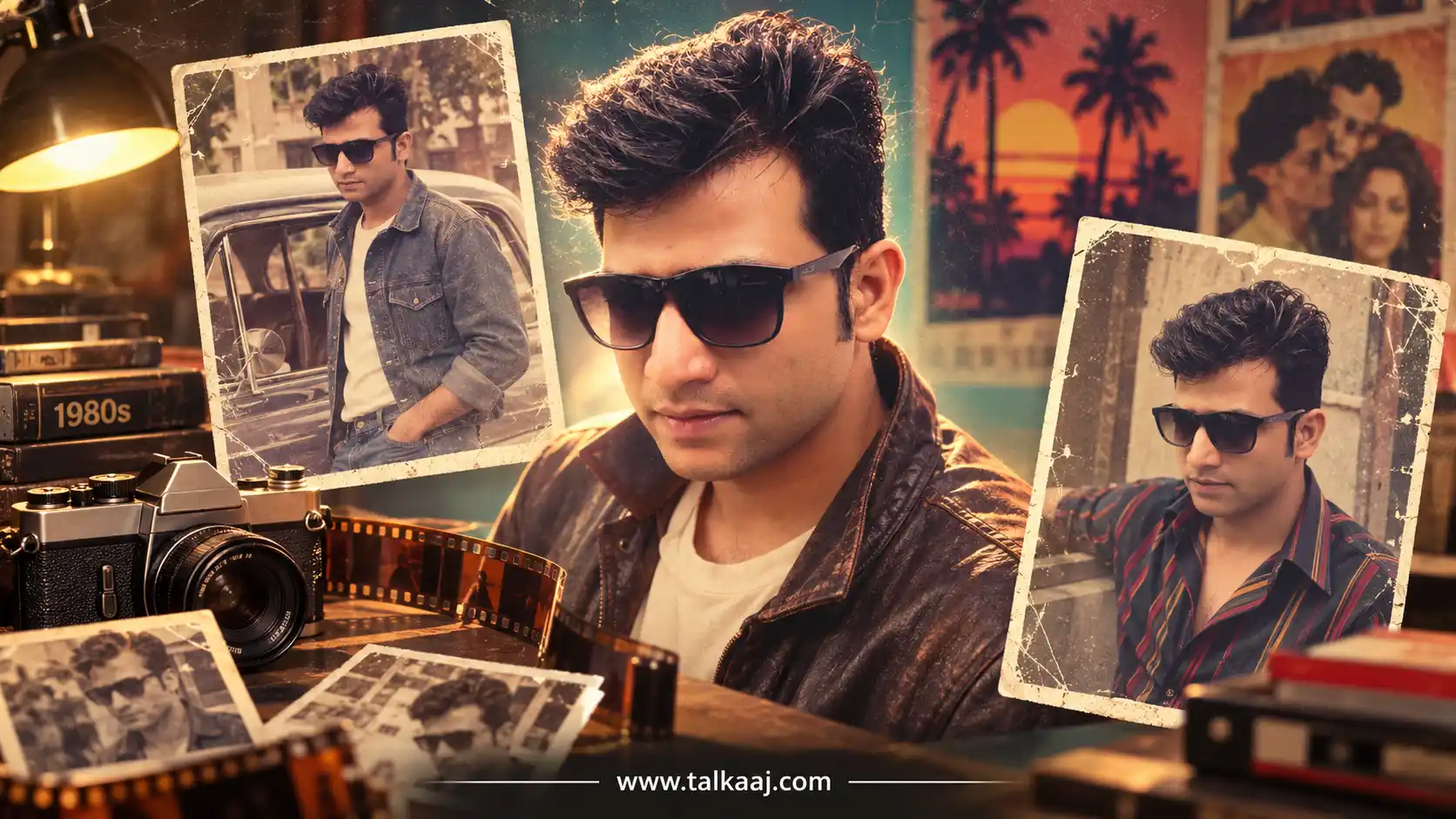
1980s ai photo prompt: Scroll through Instagram or X this week and you'll spot it within seconds: a feathered haircut, a mall-studio backdrop, a direct on-camera flash, faded warm colours. It looks like it was pulled out of someone's family album from 1986. It wasn't. It's AI, built from a single current photo using ChatGPT or Gemini.
This is the 1980s AI photo trend, and it's one of the biggest recurring viral photo trends of 2026 - the same wave that earlier gave us Studio Ghibli-style portraits and various "yearbook photo" makeovers. This time the decade is the '80s, and the results are convincing enough that people keep asking how it's actually done.

What Is the 1980s AI Photo Trend?
It's an AI image-editing trend where you upload a modern photo and ask an AI model to recreate it as a realistic 1980s photograph - period clothing, hairstyle, studio or family-camera background, lighting, and analogue film characteristics included. The key difference from a simple filter: nothing about the photo is just tinted sepia. The AI actually changes the hair, outfit, background and camera look while keeping your face recognisable.
Which AI Tools Actually Do This?
Two tools are driving most of the trend right now:
- ChatGPT - supports image creation and editing from an uploaded photo. You upload your picture, then describe exactly what should change and what should stay the same.
- Google Gemini - image generation and editing here runs on Google's Nano Banana / Nano Banana 2 image model, which handles realistic lighting and texture particularly well.
Both are free to try on their basic plans, and the same prompt structure generally works on either one — people usually just try both and compare which result they prefer.
Why Some Prompts Work Better Than Others
A weak prompt just says "make this look like the 80s," and you get a generic filtered photo. A strong prompt does three things:
- Locks your identity - explicitly tells the AI to preserve your facial features, skin tone and proportions, so you still look like you.
- Describes the whole scene - hairstyle, clothing, background, lighting, and camera/film characteristics, not just one effect.
- Names a specific year - "as if this was taken in 1986" produces a more consistent result than just saying "the 80s."
If the first result isn't quite right, don't rewrite the whole prompt. Ask the AI to adjust one element at a time — hair, lighting, or outfit - and it'll usually get closer with each try.
Best 1980s AI Photo Prompts to Copy-Paste
Upload a clear, well-lit photo first, then paste any of these.
1. Prompt: Use the uploaded photo as the identity reference and transform it into a *genuine 1980s photograph, while keeping the person's face highly recognizable and preserving their exact facial features, proportions, skin tone, age, and natural expression. Give them authentic 1980s hair, grooming, clothing, accessories, and styling appropriate to their appearance, with a believable period setting such as an Indian everyday environment. Make it look as if the photo was actually captured in the 1980s on a consumer 35mm film camera, with natural warm film colors, subtle grain, slight softness, imperfect exposure, gentle faded tones, realistic skin texture, mild halation, tiny film imperfections and authentic analog character. Keep the pose and composition natural, avoid modern objects, fashion, architecture, or technology, and **do not make it look like a modern photo with a vintage filter*. The final image should feel like a real old family photograph discovered from the 1980s- photorealistic, nostalgic, authentic, and completely believable.
2. Prompt: Using my uploaded photo as a reference, show me what I would have looked like in the 1980s. Preserve my face, facial features, skin tone, and identity exactly without changing my face. Give me an authentic 1980s look with voluminous retro hair or a classic hairstyle, iconic period fashion, accessories, and makeup. Set the photo in a nostalgic 1980s background with warm faded analog tones, soft-focus, subtle film grain, and an aged photo texture.
3. Classic Studio Portrait
Use my uploaded photo as the identity reference and recreate the same person as if this photograph had been taken in 1986. Preserve my recognizable facial features, skin tone and proportions exactly — do not smooth or beautify my skin. Style me with a voluminous feathered 1980s hairstyle, bold shoulder-padded clothing and statement accessories. Set the scene in a simple vintage studio with warm on-camera flash lighting, subtle 35mm film grain, and slightly faded, warm-toned colours. Remove all modern objects from the frame.
4. Family-Album Style
Transform this photo into a candid 1980s family-album snapshot of the same person, keeping my face and identity fully recognizable. Add a slightly soft, slightly overexposed point-and-shoot camera look with warm colour casting, visible film grain, and a faint timestamp in the corner like old drugstore prints had. Give me period-appropriate 1980s clothing and hairstyle for a casual home or outdoor setting, not a studio.
5. College/Yearbook Look
Recreate my uploaded photo as an authentic 1980s college yearbook portrait. Keep my facial identity, expression and proportions unchanged. Style my hair and outfit in a typical late-80s college look, photographed against a plain gradient studio backdrop common in yearbook photography of that era, with even, slightly flat studio lighting and a faint vintage colour cast.
6. Cinematic Retro Portrait
Reimagine this exact photo as a cinematic 1980s portrait. Preserve my face, facial structure and identity fully — no beautification, no altered features. Add moody warm-and-teal lighting reminiscent of 1980s film photography, a soft haze, subtle film grain, and period-accurate clothing and hairstyle. The background should feel like a real location from that decade, not a plain backdrop.
7. Festive Indian 1980s Look
Use my uploaded photo as the identity reference and recreate it as a 1980s Indian studio portrait, in the style of family photo-studio pictures common in that era. Keep my face and features fully recognizable. Style me in period-appropriate Indian fashion and hairstyle of the 1980s, photographed against a painted studio backdrop with warm flash lighting, faded colours and light film grain.
A Few Things to Keep in Mind
- Use a clear, front-facing photo with good lighting for the most accurate result.
- Avoid uploading photos to random or unofficial websites - stick to the official ChatGPT and Gemini apps or sites.
- Results can vary between tools: ChatGPT tends to produce a sharper image, while Gemini often gives a softer, warmer colour tone. Trying both isn't a bad idea before you settle on one.
FAQ
Is the 1980s AI photo trend free to try?
Yes, both ChatGPT and Gemini offer free plans that support basic image generation and editing.
Does this work for group or couple photos?
It works best with one or two people in frame. Larger group photos tend to produce less consistent results.
Can the same prompt be used on both ChatGPT and Gemini?
Yes - upload your photo to either tool and paste the same prompt. The final look may differ slightly depending on the tool's image model.
Is my photo safe when I use these prompts?
Stick to the official ChatGPT and Gemini apps or websites, and avoid uploading your photo to unknown third-party tools claiming to offer the same trend.